


AppLock Pro - App Lock & Guard
4.413.52K Reviews
App Specs
- Version
- 5.7.6
- Updated On
- License
- Free
- Downloads
- 100,000,000+
- Developer
- App Lock LLC
- Categories
- Productivity
- Platform
- Android, iOS
Screenshots
 Analysis by AppCompare
I judge an app lock by what happens when it gets in the way: can I still open what I need, and can I tell whether a lock is working as expected? AppLock Pro - App Lock & Guard is aimed at people who want an extra barrier around selected apps, rather than a complicated security setup. I find that idea useful when I lend someone my phone, but an app lock is only one layer of privacy, and it is worth knowing its limits before relying on it.
Where setup can feel less simple than it looks
The basic idea is easy to understand: choose a way to unlock the protected apps, then decide which apps need the extra step. The friction often comes from making those choices carefully. Locking too little can leave the information you meant to protect visible elsewhere; locking too much can make ordinary tasks feel like a series of interruptions. I would start with a short list rather than applying a lock everywhere at once.
For example, if a friend wants to use my phone to look at a photo, I might want to keep messages or account apps behind a lock without interrupting access to the camera or maps. That is a more comfortable arrangement than treating every app as equally sensitive. After choosing the list, I would test it by leaving each protected app and opening it again, so I know what the lock looks like in normal use.
Checks that make the first run easier
Before depending on a lock, I would confirm that the method I chose is one I can use reliably. A memorable PIN or pattern is less likely to slow me down than an elaborate one I forget. If biometric unlocking is available on my device and works consistently for me, it can make repeated access more convenient; I would still keep the fallback method in mind rather than assuming I will never need it.
I would also try the setup in the situations where I expect to use it: after restarting the phone, after switching between a locked app and another task, and when handing the device to someone else. These simple checks help separate a setup misunderstanding from a genuine problem. They also show whether the extra prompt is a reasonable trade-off for the privacy I want.
Recovering from an awkward workflow
If a protected app does not open as I expect, I would avoid changing several settings at once. First, I would return to the lock app and check that the intended app is still selected and that I am using the unlock method I set. Then I would close and reopen the protected app and try again. A small, orderly check is more useful than repeatedly guessing at a code or toggling unrelated options.
There is a practical balance here: a lock should slow down someone casually browsing, not make the phone difficult for its owner to use. If I find myself unlocking the same app constantly for a routine task, I would reconsider whether it needs to be protected every time. Keeping the protected list focused can make the safeguard more useful because it does not turn everyday phone use into a burden.
Worth Reading Before You Choose

Flipboard Shows What News Apps Must Do Beyond the Feed

Switching to Android Auto Means Rethinking Your Driving Routine

Google Calendar Makes a Crowded Week Easier to Manage

Ludo King Makes the Most of the Minutes Between Plans

Baby Panda World Brings Quick Play to Modern Phones, but Its Game Library Feels Busy

ESPN’s Live Game View Makes Following Close Games Easier
Getting Started with AppLock Pro
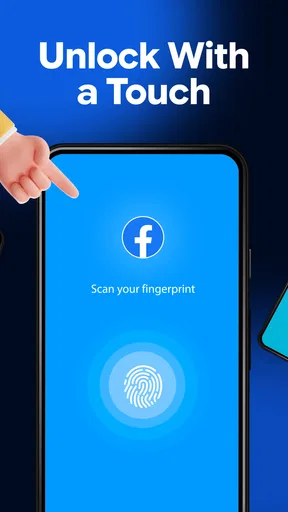
First off, downloading AppLock Pro - App Lock & Guard is a breeze. It’s available on both Android and iOS, so you’re covered no matter what your device of choice is. Once installed, the setup is pretty straightforward. The app walks you through creating a secure password or pattern. Bonus points for the option to use your fingerprint if you’re into that techy stuff!
User-Friendly Interface
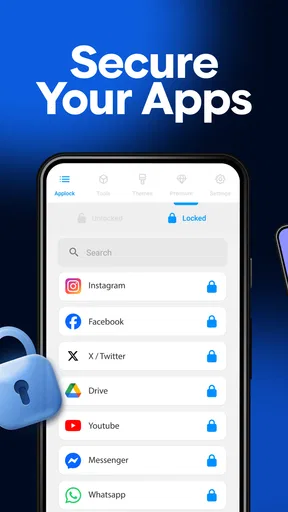
One of the first things I noticed was the sleek, no-nonsense interface. It doesn’t bombard you with unnecessary features, which I really appreciate. Everything is neatly organized, making it easy to navigate around. You can quickly decide which apps you want to lock, and the whole process is as simple as tapping a few buttons.
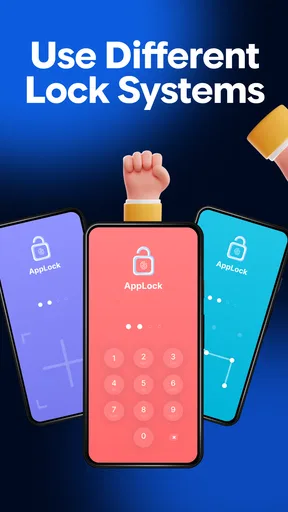
The app offers a variety of locks—from PINs to patterns and even fingerprint locks. So, there’s definitely something for everyone. I personally went with the fingerprint option because, let’s face it, who wants to remember another password?
Security Features Galore
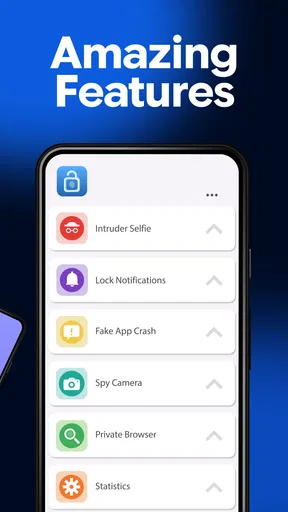
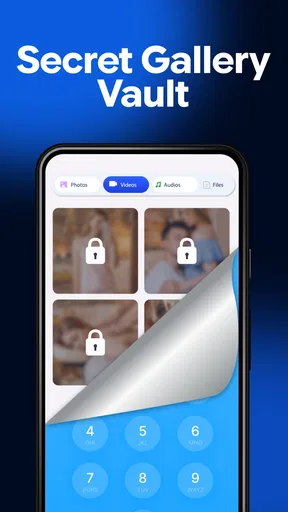
Now, let’s talk about what makes AppLock Pro stand out in the crowded world of security apps. Beyond just locking apps, it boasts some nifty features like a photo and video vault. This means you can safely store your personal media files away from prying eyes. Trust me, if you’ve got nosy friends or siblings, this is a lifesaver.
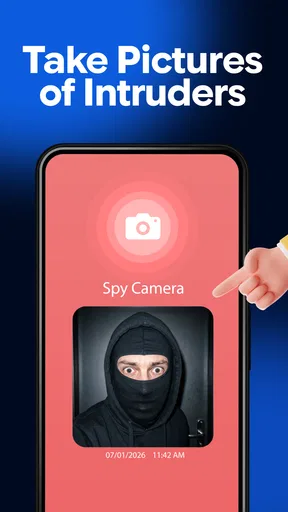
The app also has a cool feature called the intruder selfie. Basically, if someone tries to access your locked apps and fails, AppLock Pro takes a sneaky photo of the culprit. It’s like having your own personal security guard!
Customization and More
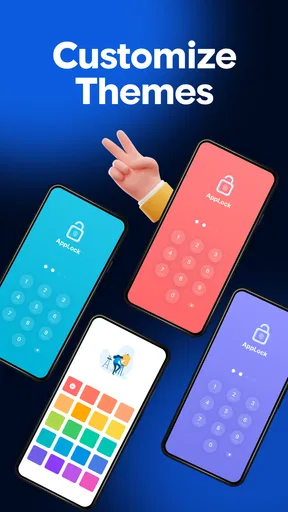
Customization is another area where this app shines. You can change the app’s theme to suit your mood or match your phone’s aesthetics. Not a huge deal, but hey, who doesn’t love a bit of personalization?
Another feature that caught my eye is the app disguise. You can make the app icon look like a calculator or something equally mundane, so no one will ever suspect it’s a security app. Clever, right?
When the phone may be the source of the trouble
If a lock seems inconsistent, I would not immediately assume the app itself is at fault. A phone’s own security settings, a recent system change, or the way a particular app behaves can affect what I see. I would check whether the issue happens with one protected app or several, then test another selected app. That comparison gives me a clearer starting point before I change anything.
I would also keep expectations realistic about what an app lock can protect. It can add a barrier when someone has access to an unlocked phone, but it is not a replacement for the phone’s own screen lock, careful account security, or safe handling of private files. If someone already knows my device passcode or has access to an account through another route, locking an app alone cannot solve that broader problem.
Performance and Usability
In terms of performance, AppLock Pro runs smoothly. It doesn’t drain your battery, which is a big plus. I’ve used some security apps before that turned my phone into a mini heater, but thankfully, this isn’t one of them. Switching between apps is seamless, and I didn’t notice any lag whatsoever.
As for usability, it’s pretty intuitive. Even if you’re not tech-savvy, the app is easy to understand and use. The developers clearly put a lot of thought into making it user-friendly.
Who benefits most, and who should look elsewhere
I see the strongest fit for someone who occasionally lends out a phone, shares it with family, or wants a quick extra boundary around a few personal apps. It is also useful for separating casual access from private content: a child can use a device for a game, for instance, while selected apps remain behind a prompt. I would still supervise a child’s use rather than treating an app lock as a substitute for that.
By contrast, someone who wants comprehensive device management, encrypted storage for every file, or protection against a determined person with prolonged access should look beyond an app locker. The built-in screen lock and account protections remain essential. AppLock Pro is best understood as a convenient, selective hurdle—not a complete security system.
Compared with relying only on a phone’s screen lock, an app lock can be more convenient when I need to hand over an already-unlocked device without exposing everything. Compared with changing how I use the phone or keeping it in my hand, it adds flexibility, but also another step and another setting to maintain. I would choose it when selective privacy matters more than having the fewest possible prompts.
Final Thoughts
So, is AppLock Pro - App Lock & Guard worth downloading? In my book, absolutely. It's a solid app that does exactly what it promises—keeping your private data private. With features like app disguise, intruder selfies, and a media vault, it covers all the bases for a comprehensive security app.
If you’re someone who values security and peace of mind, give AppLock Pro a try. You might just find it becomes one of those apps you wonder how you ever lived without. Plus, with its user-friendly interface and customization options, it’s easy to tailor it to your personal needs.
So there you have it, folks. My take on AppLock Pro - App Lock & Guard. Hopefully, it helps you keep those sneaky eyes away from your personal data. Happy locking!
A practical choice, with a few sensible boundaries
AppLock Pro is a free productivity app from App Lock LLC, with optional in-app purchases ranging from under a dollar to just under a hundred dollars per item. It is rated for everyone, and its current version is 5.7.3. Its average rating is 4.4 from around two million ratings, and it has passed over one hundred million installs. Those figures suggest broad interest, but they do not tell me whether its particular mix of locks and extras suits my routine.
My recommendation is to try it if you want selected apps to require an extra unlock step and are willing to test your setup instead of assuming every screen is covered. I would skip it if frequent prompts would annoy me more than the privacy benefit, or if I needed a full device-security solution. Used with a focused app list and the phone’s own protections, it can be a practical layer of everyday privacy rather than a reason to stop thinking about security.
Pros
- Highly customizable lock settings.
- Lightweight
- doesn't slow down device.
- Supports multiple lock types.
- User-friendly interface
- easy setup.
- Frequent updates ensure better security.
Cons
- Some features require premium version.
- Occasional ads in free version.
- Fingerprint lock may be inconsistent.
- Limited themes available for customization.
- Can drain battery if used excessively.
FAQs for AppLock Pro - App Lock & Guard
What is AppLock Pro, and what features does it offer?
AppLock Pro is a security application designed to protect your privacy on Android devices. It offers features like app locking, photo vault, and intruder detection. You can lock apps with a password, pattern, or fingerprint, ensuring unauthorized users can't access your personal information.
How secure is AppLock Pro for protecting sensitive apps and data?
AppLock Pro provides robust security features, including advanced encryption protocols and biometric authentication. It ensures that only you can access locked apps and hidden files. Additionally, its intruder detection feature takes photos of anyone trying to access your apps, enhancing overall security.
Can AppLock Pro affect my phone's performance or battery life?
AppLock Pro is optimized to run efficiently in the background without significantly impacting your device's performance or battery life. It uses minimal resources to ensure that your phone remains responsive and that your battery lasts throughout the day.
Is AppLock Pro easy to use for beginners?
Yes, AppLock Pro is user-friendly and designed with a simple interface that makes it easy for beginners to navigate. The setup process is straightforward, and the app provides clear instructions for locking apps and setting up additional security features.
Is there a cost associated with using AppLock Pro?
AppLock Pro offers a free version with essential features, but advanced functionalities like ad-free use and enhanced security options may require a one-time purchase or a subscription. The pricing is competitive, and users can choose a plan that fits their needs.


